

Free radio tools hand you software and walk away. With RadioForge you also get SupportForge: a real bug and feature desk, real people who write back, fixes that are tested before they reach you, and servers that are watched around the clock.
Why it matters
Plenty of radio tools are free. Almost none of them have anyone on the other end when something breaks on a Tuesday afternoon.
Every report lands on a real ticket desk with your product, your station and your screenshots attached.
You get an email the moment we receive it, and again at every step until it is solved.
A fix is built and checked first. Nothing goes live on your station until it has been approved.
Our team works the desk around the clock on weekdays, and the servers are watched every five minutes, every day.
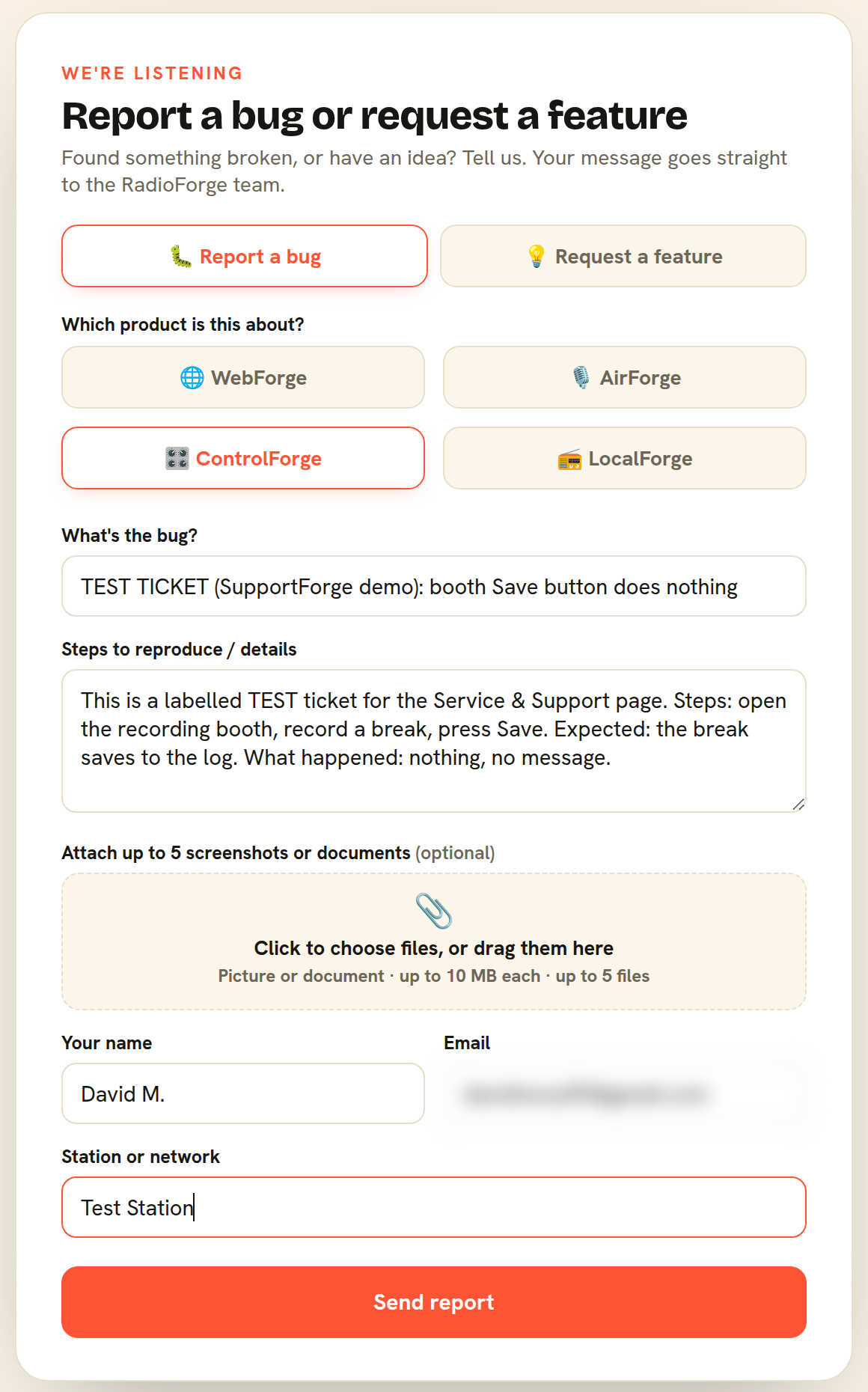
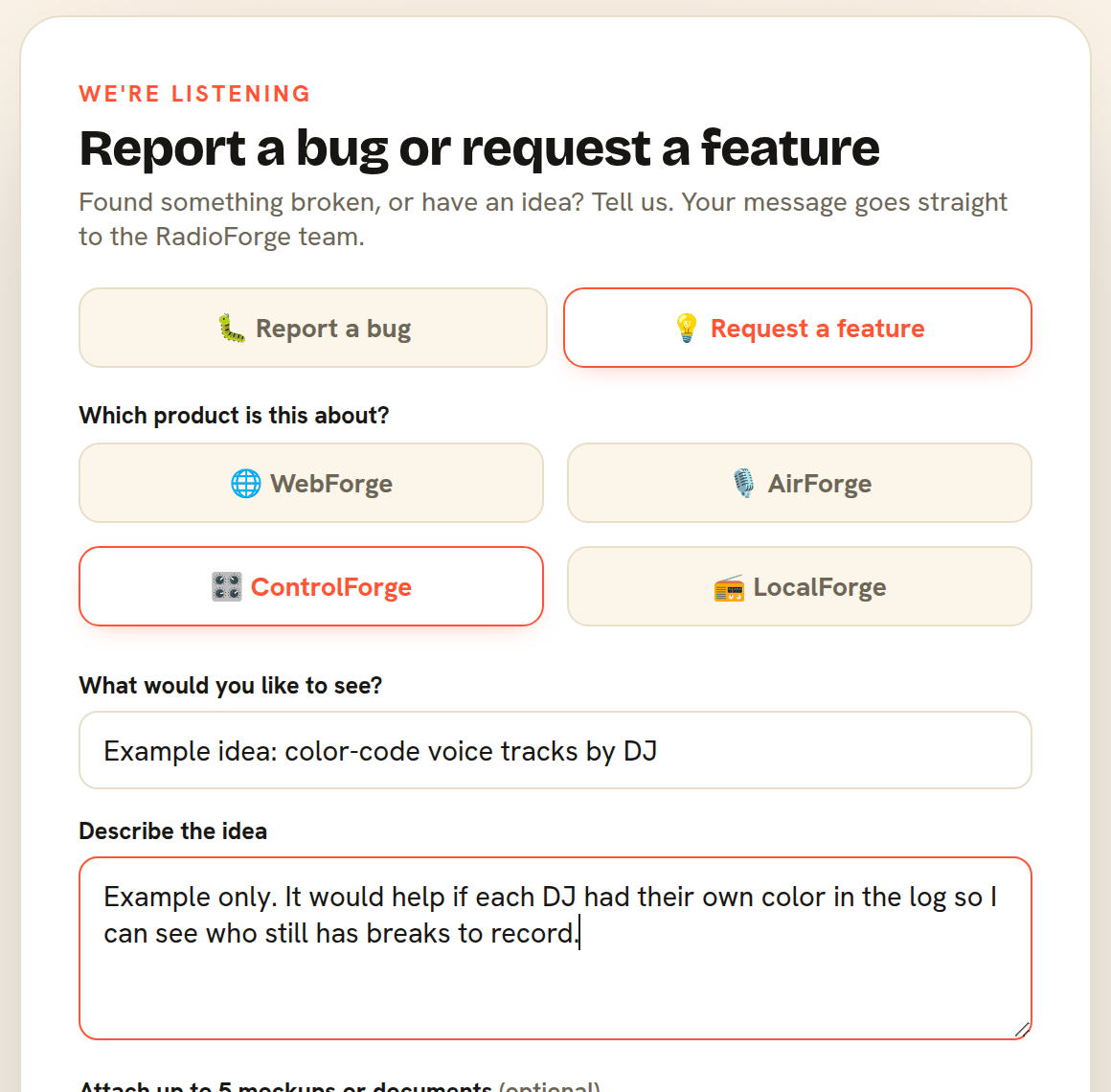
Here is a real ControlForge bug report. Pick the product, say what happened, add a screenshot if you have one, and press Send. That is all.
A ticket's journey
We filed a real test ticket, #52, and walked it through our actual desk. Every picture below is the real screen.
The moment you press Send, a qualified support rep is emailed and your report appears at the top of the desk, tagged with the product and your station. You get an instant email with your reference number.
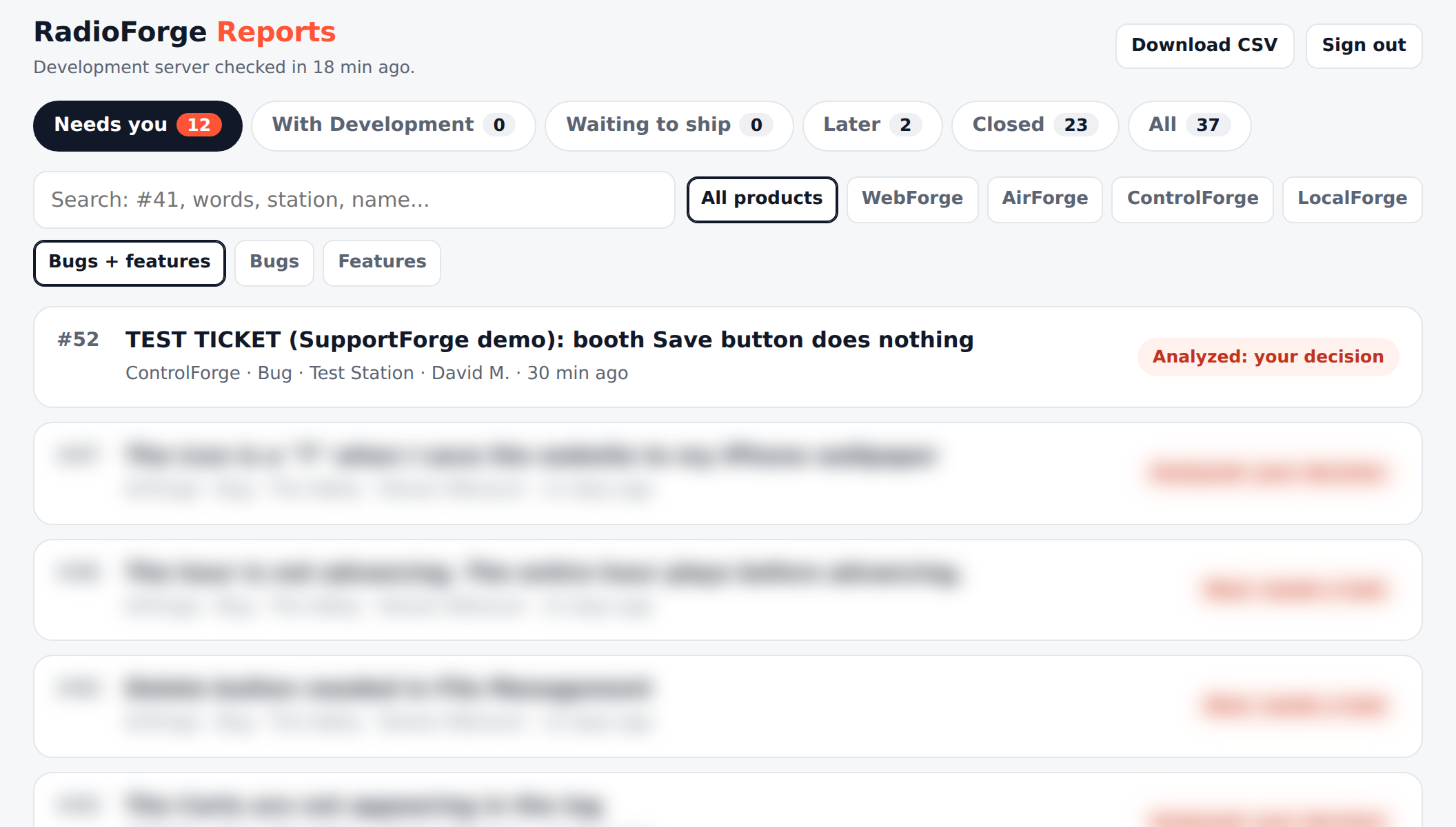
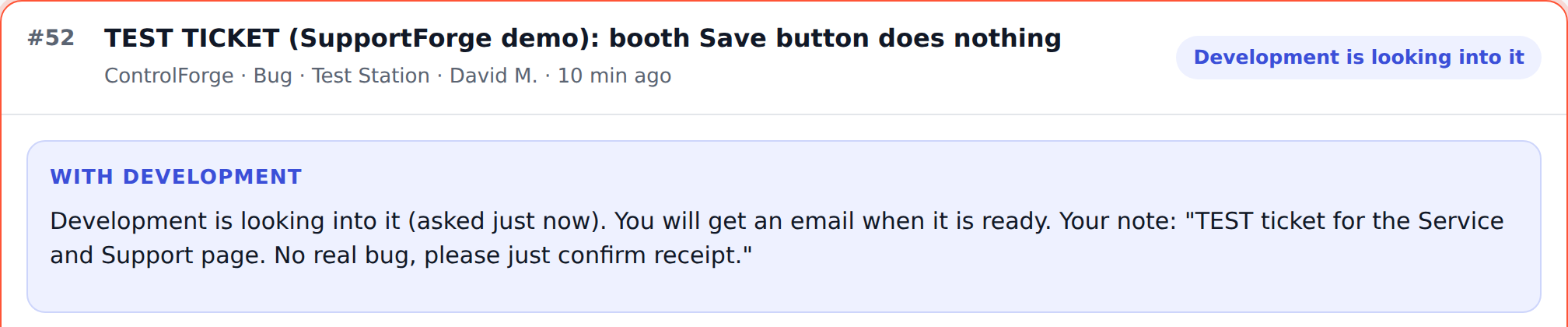
Your rep reads it and sends it to Development to investigate. You get an email right away saying we are looking into it.
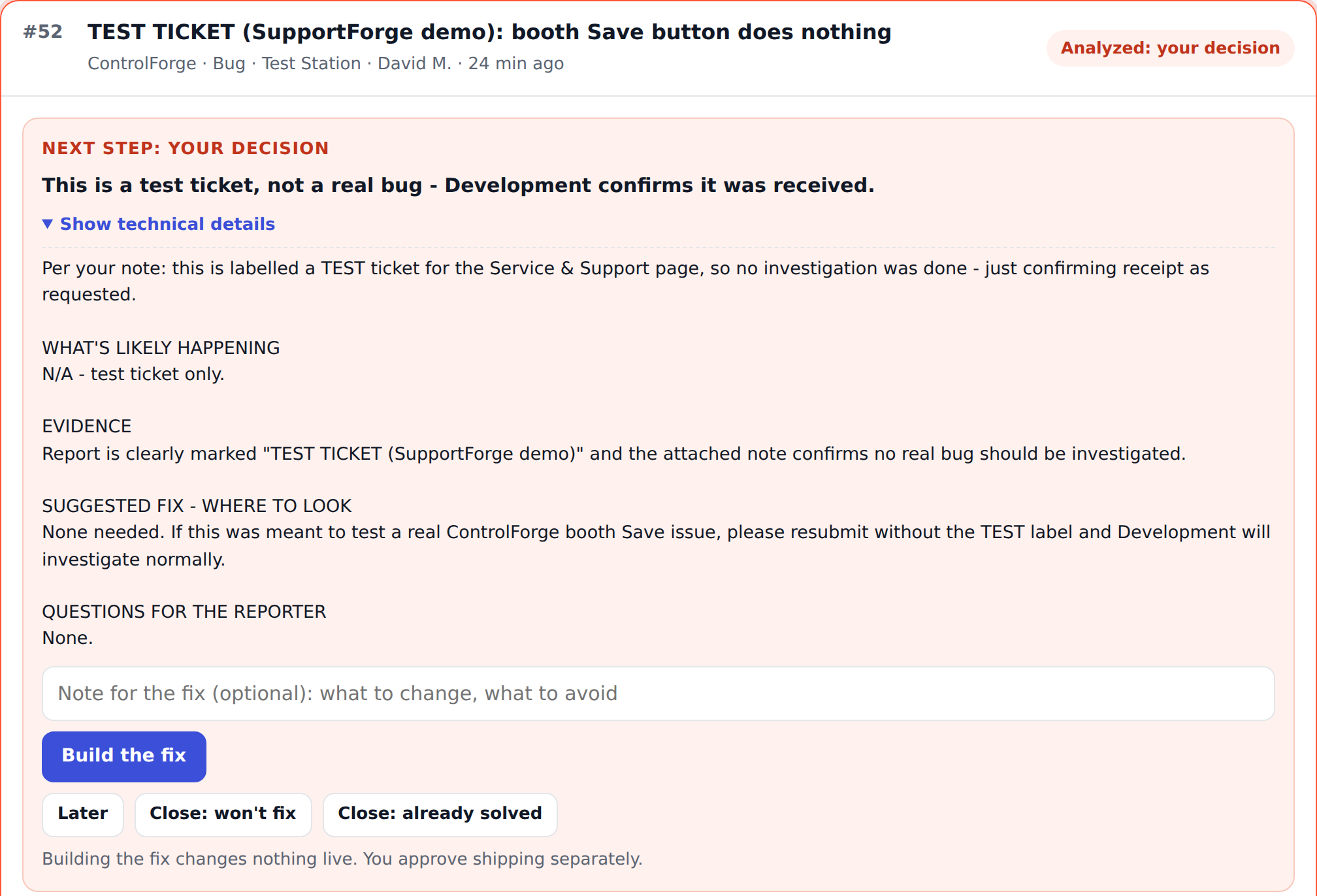
Development posts what it found as a short, plain summary, with the technical detail tucked behind a button. Then your rep decides the next step. Building a fix changes nothing live. Shipping it is a separate, deliberate OK.
If we need more detail, your rep emails you from the ticket. You simply reply to that email, and your answer lands on the same ticket automatically. Nothing gets lost.

Once a fix is approved, we can send it to every station, just yours, or a chosen few first. When it is live, you get a "your fix is live" email with a plain summary of what changed.

The emails
These are the real emails from ticket #52, in the order they arrived. The reporter's address is hidden.
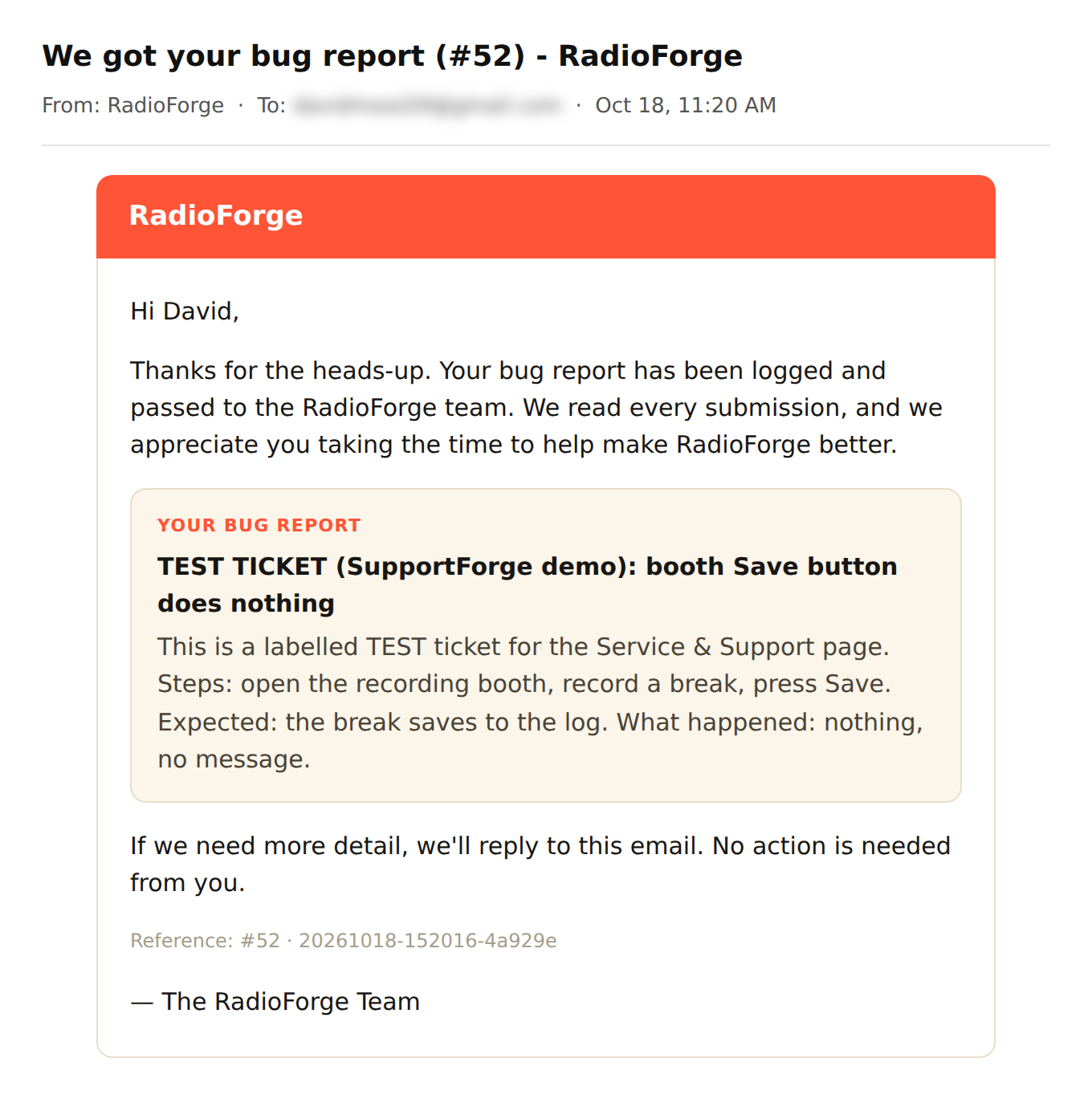
Seconds after Send: we have it, here is your reference number.
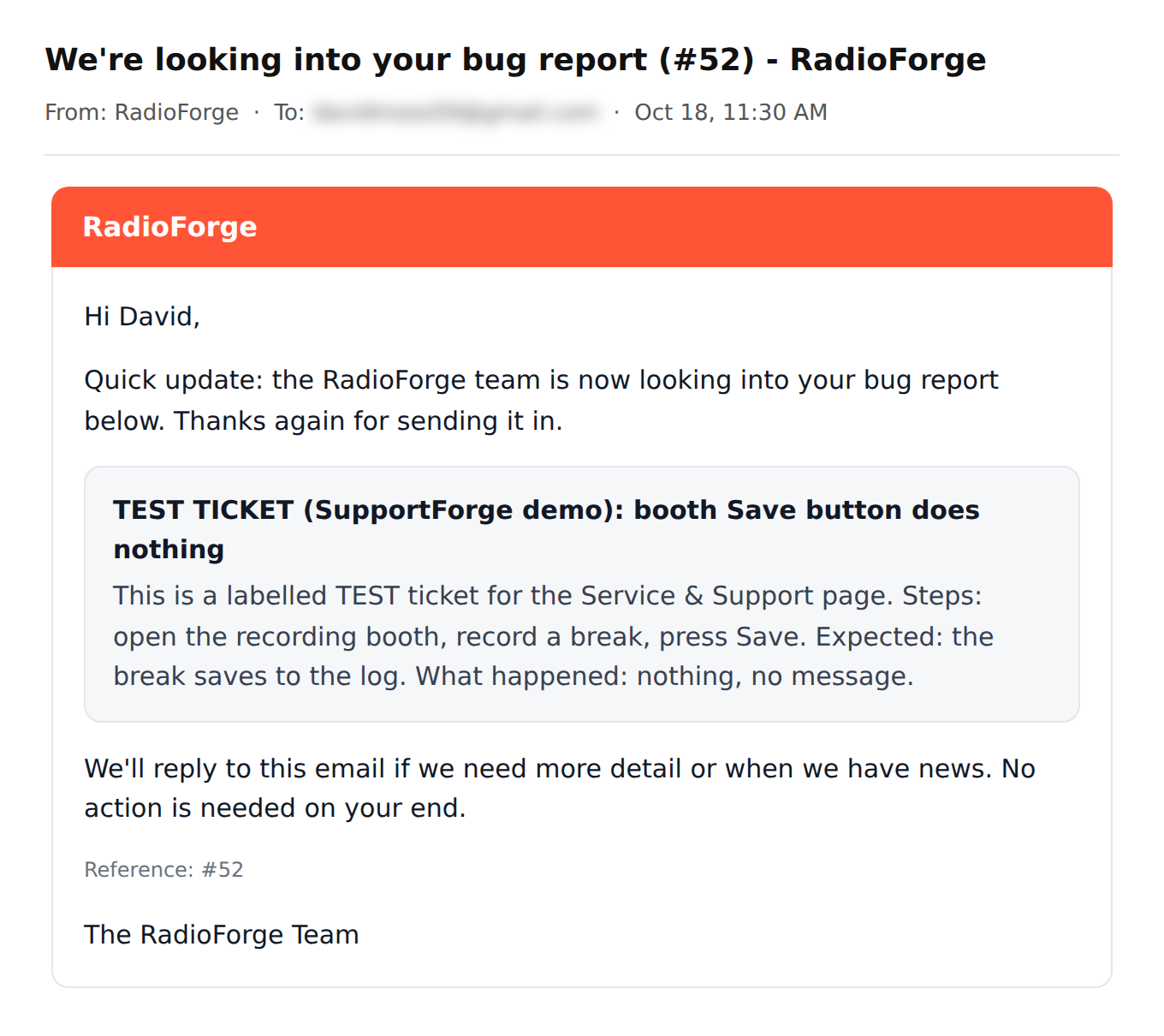
The moment it goes to Development, you are told.
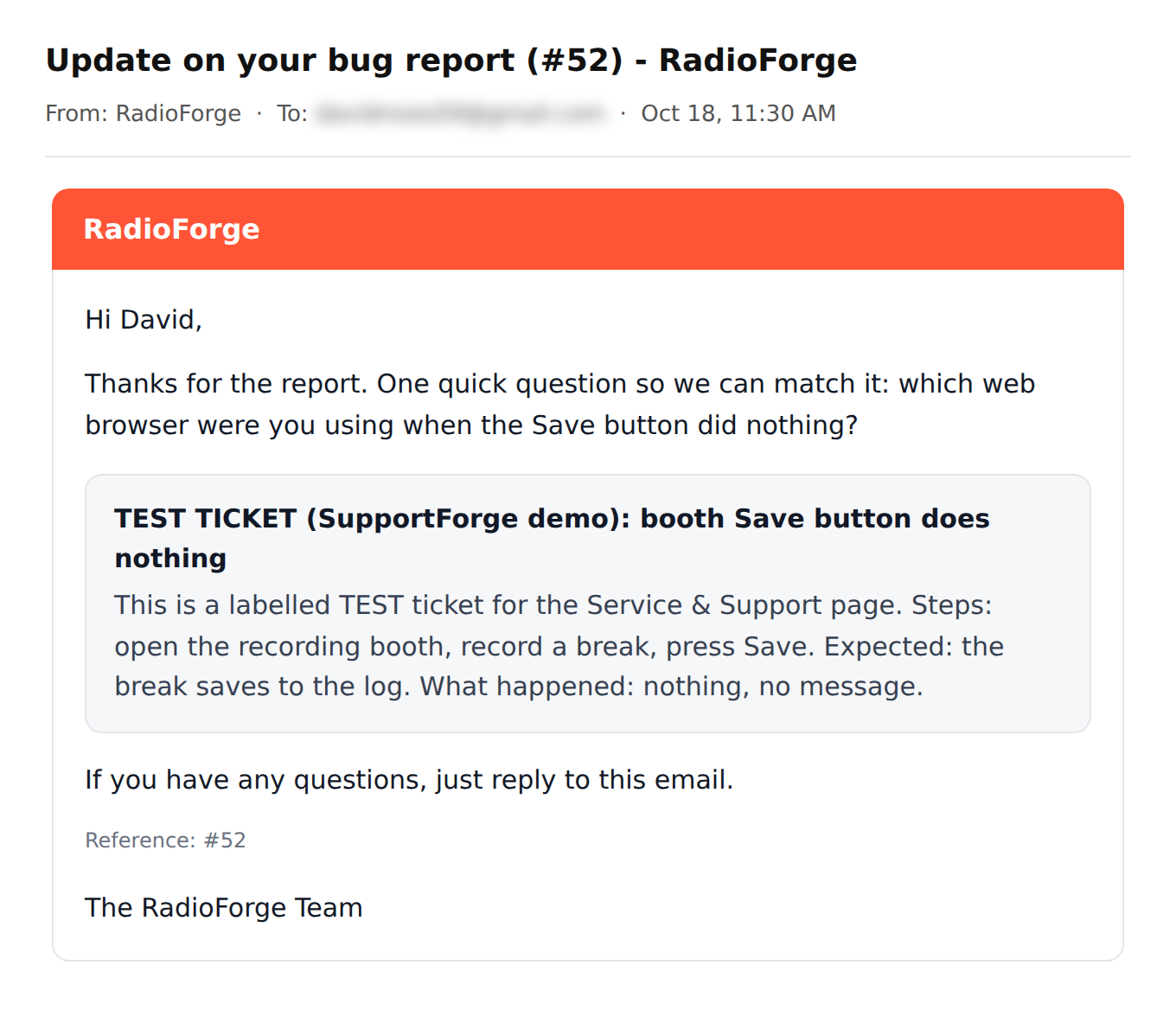
A real question from a real person, sent from the ticket.
"Hi, it was Chrome on my laptop. The Save button just stayed grey." Just a normal email reply, and it landed on the ticket by itself (shown in step 4 above).
Feature requests use the same form and the same desk. A support rep reads every one, you get the same emails, and you are told when your idea is added.
Always up to date
You never have to reinstall the software over and over again. Install once, and new fixes and features reach your station automatically.
WebForge uptime
This is not a drill we describe. It happened.
Our infrastructure
Three servers in two countries, watched every five minutes, backed up every night.
Two main servers in the US and a standby server in London, UK.
Memory, disk, load, services and every site are checked around the clock. Problems alert us by email and text.
Station sites are backed up nightly, and the London standby is refreshed every day.
Our sites are built in-house, with no plugin pile to patch and no plugin holes to exploit.
Our offices
Our team works from offices in the US and in Europe.
US offices
United States
European offices
Spain
European offices
Portugal
Found a bug, have an idea, or want to see how SupportForge works for your station? We answer.
Fort Lauderdale · Madrid · Lisbon · 24x7 weekday support · Talk to broadcasters, not salespeople.

 Websites & Apps
 Control Automation
 Voice Tracking
 Programming
 Production